
Choose Dropbox in the post window
- On the Publish page, press “Create post”.
- In the toolbar under the text field, click the small arrow next to the media tool. It opens the “Other media tools” menu.
- Pick Dropbox from the menu.
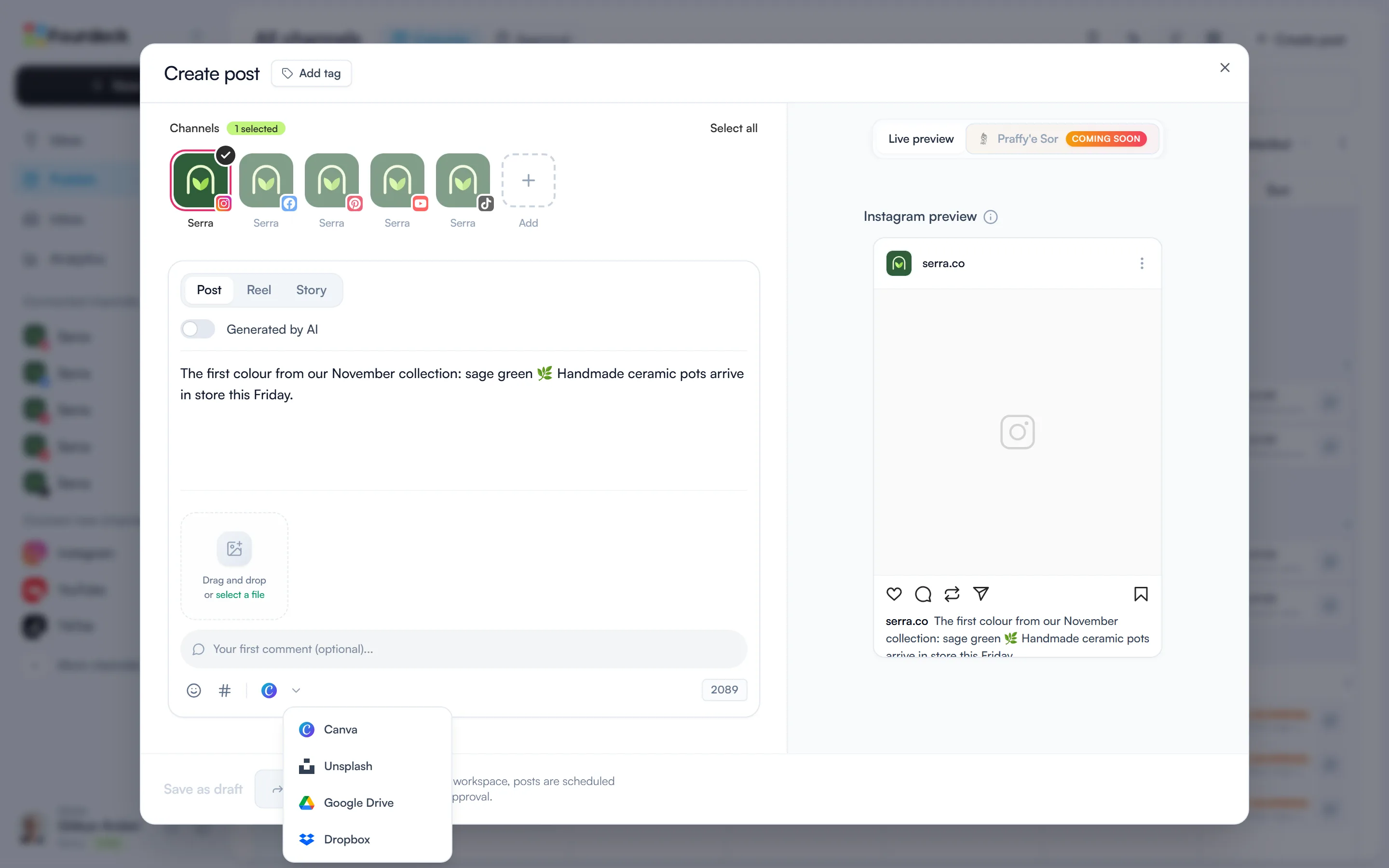
Your choice is remembered: from then on the toolbar shows the Dropbox icon, and it's in the same place for your next post.
Connect your Dropbox account
If your account isn't connected yet, clicking the Dropbox icon shows a “Connect Dropbox” button. Sign in to Dropbox in the window that opens, allow Fourdeck access, then press “Open Dropbox”.
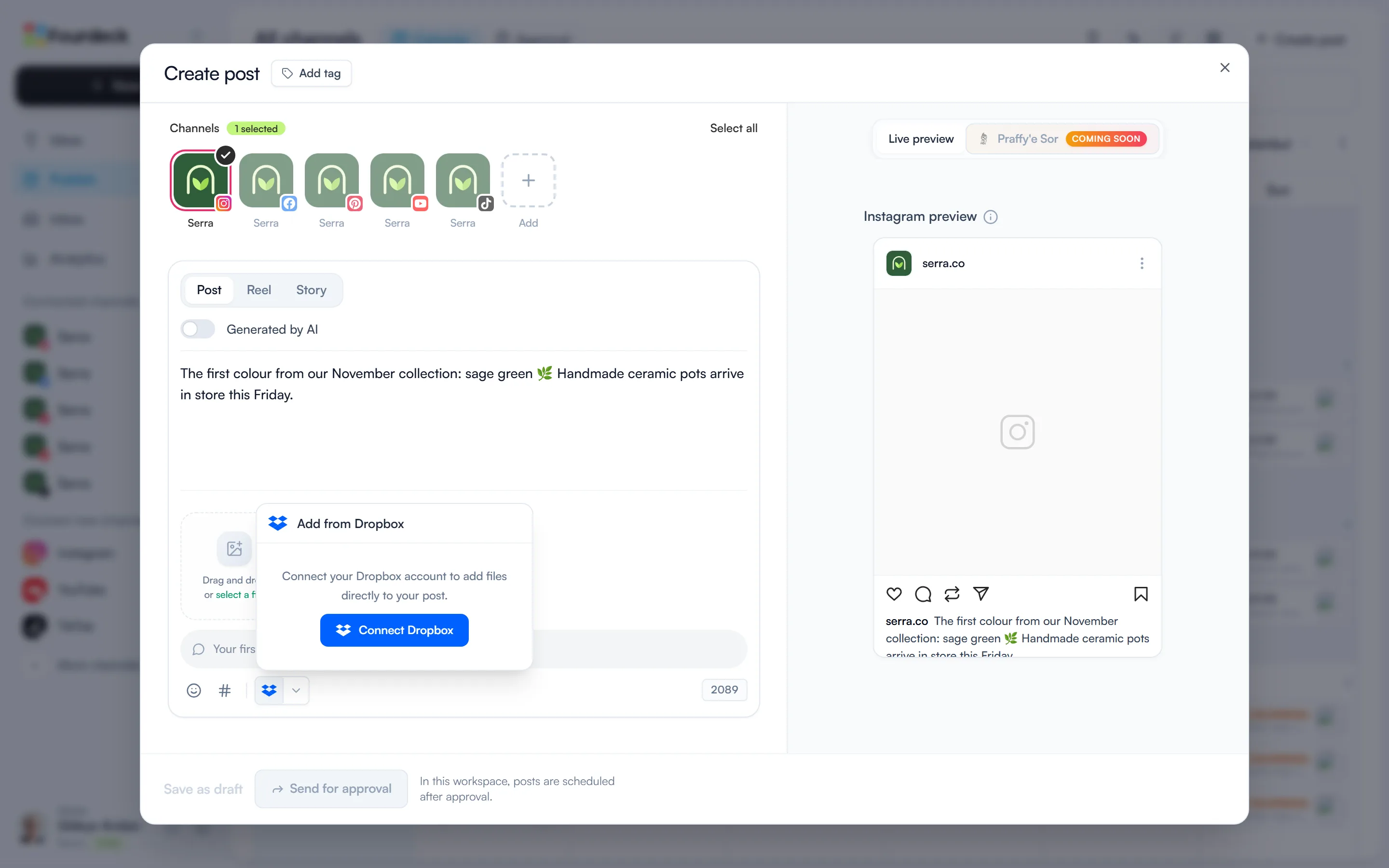
The connection is personal: each team member connects their own Dropbox account. After the first time, clicking the icon opens the Dropbox chooser directly.
Pick files and add them to the post
In the Dropbox chooser you browse your folders and can select several files at once. It lists these files:
- Images: PNG, JPG, JPEG and WebP.
- Video: MP4 and MOV.
- Documents: PDF.
Manage the connection
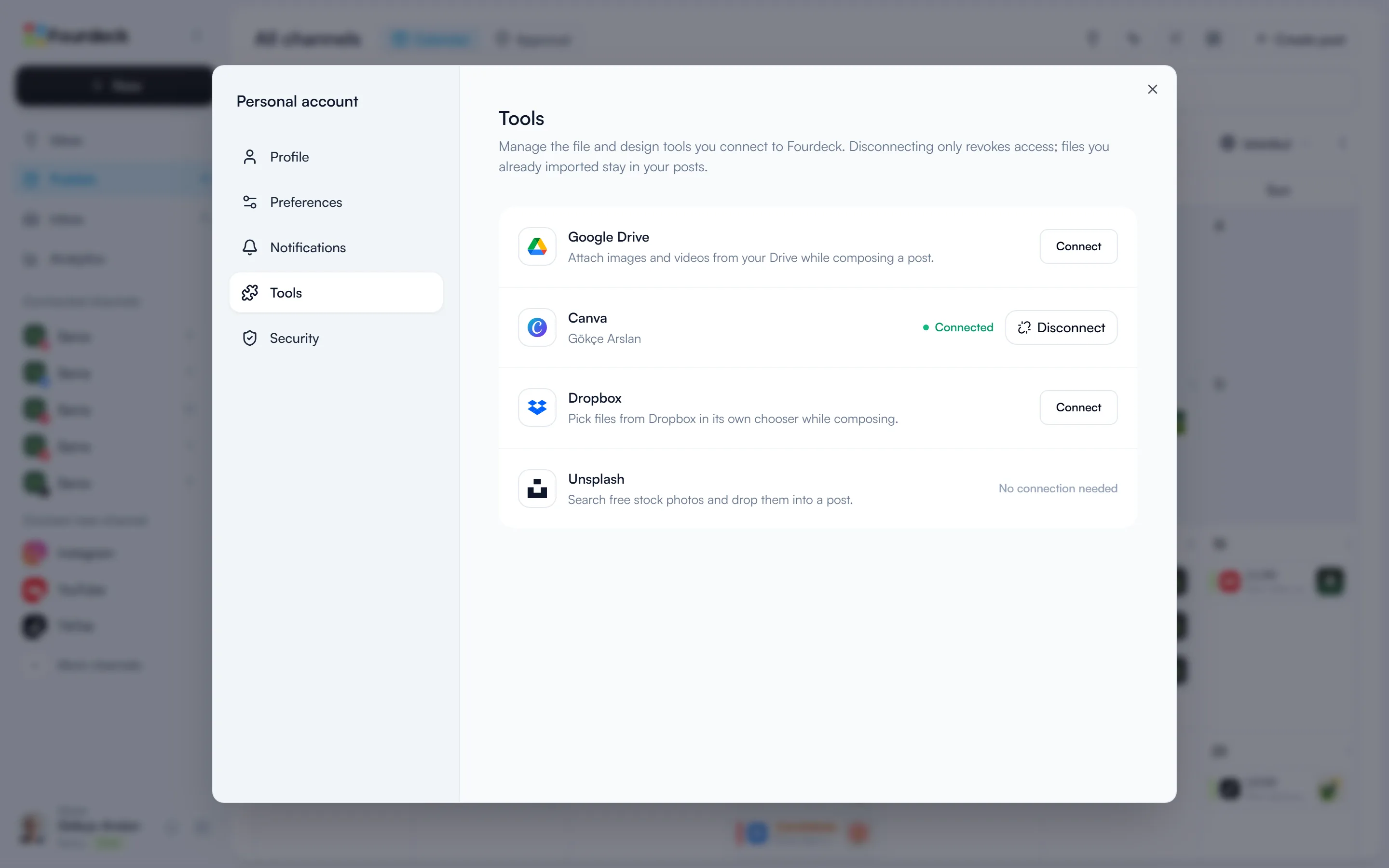
Click your name in the bottom-left corner, open “Profile settings” and switch to the “Tools” tab. “Disconnect” on the Dropbox row removes Fourdeck's access to Dropbox. Files you've already added to posts stay where they are; to add new files you'll need to connect again.
Frequently asked questions
Can I add several files from Dropbox at once?
Yes. Select several files in the Dropbox chooser and they're all added to the post in one go.
Is there a size limit for files from Dropbox?
Yes, 100 MB per file. A file over the limit isn't added and is named in the message; the other files in the same selection are added.
If I disconnect Dropbox, are files removed from my posts?
No. Disconnecting only removes Fourdeck's access to Dropbox. Files you've already added to posts stay where they are.