The Fourdeck posting queue: set your times once and let posts line up
· 4 min read
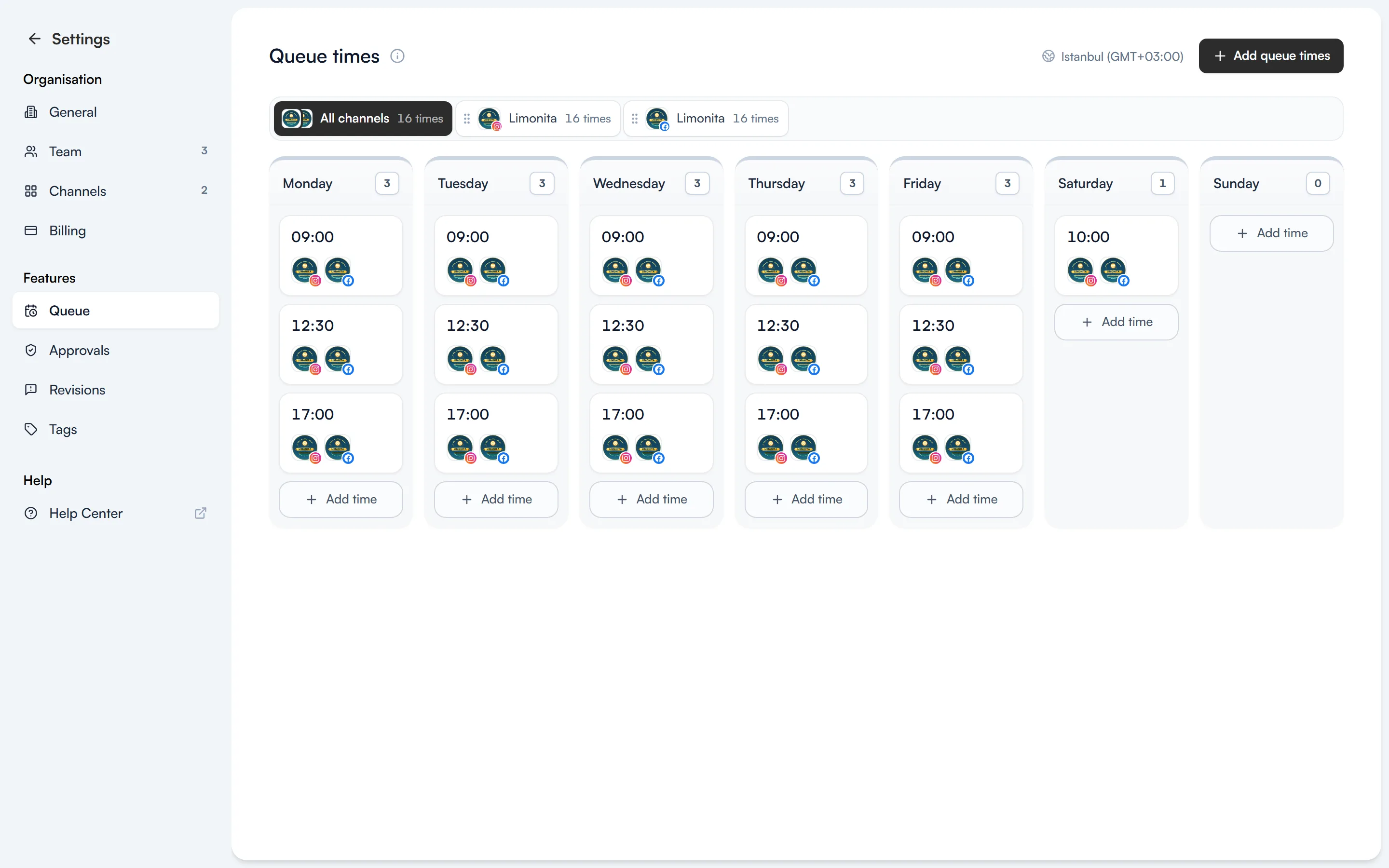
Instead of picking a date and time for every post, you can give your channels weekly publishing times. A post you add to the queue goes out at its channel's next free time. This guide covers how to set up queue times and the options you have when adding a post to the queue.
Set up your queue times
The Settings → Queue page shows your channels' publishing times by day of the week. Use the tabs at the top to see “All channels” or a single channel. The time zone the times follow is shown in the top-right corner.
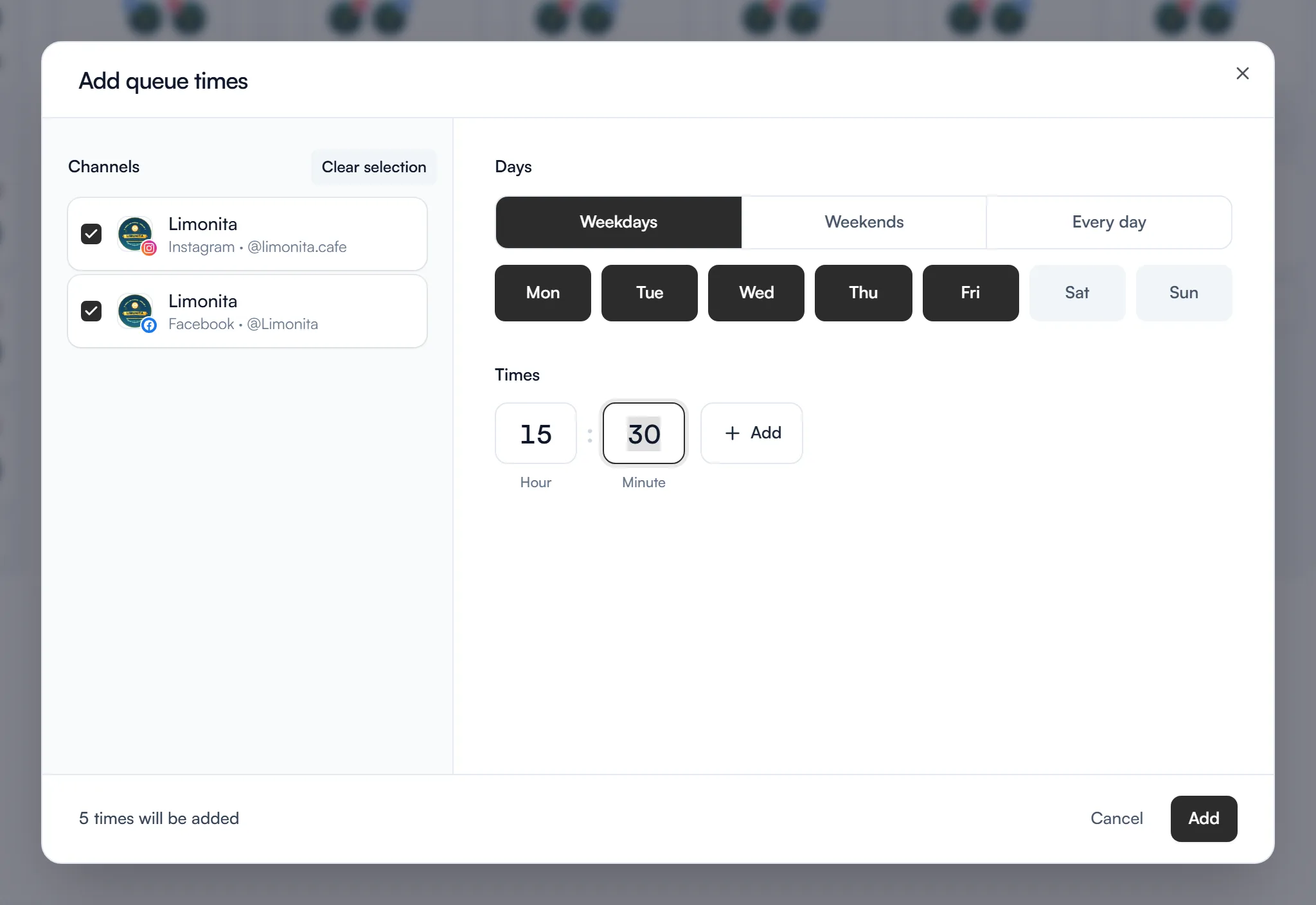
To add times, press “Add queue times” in the top-right corner:
- Channels: tick the channels the time applies to, or press “Select all”.
- Days: choose Weekdays, Weekends or Every day, or switch individual days on and off.
- Times: type the hour and minute. To add more than one time, press “Add” and keep going.
- The bottom of the window tells you how many times will be added. Save with “Add”.
You can also use “Add time” in a day's column to add a time to that day only. Drag one of the channel tabs onto a time and that channel is added to it too. Members who can publish can change queue times.
Add a post to the queue
When you select a channel that has queue times in the Create post window, the date button switches to “Next slot” on its own. Press the arrow next to it for four options:
- Next slot: adds the post to the first empty slot in the queue.
- Prioritise: adds the post to the very front of the queue, and the other queued posts move to later slots.
- Now: publishes the post immediately.
- Pick date and time: you choose the date and time yourself.
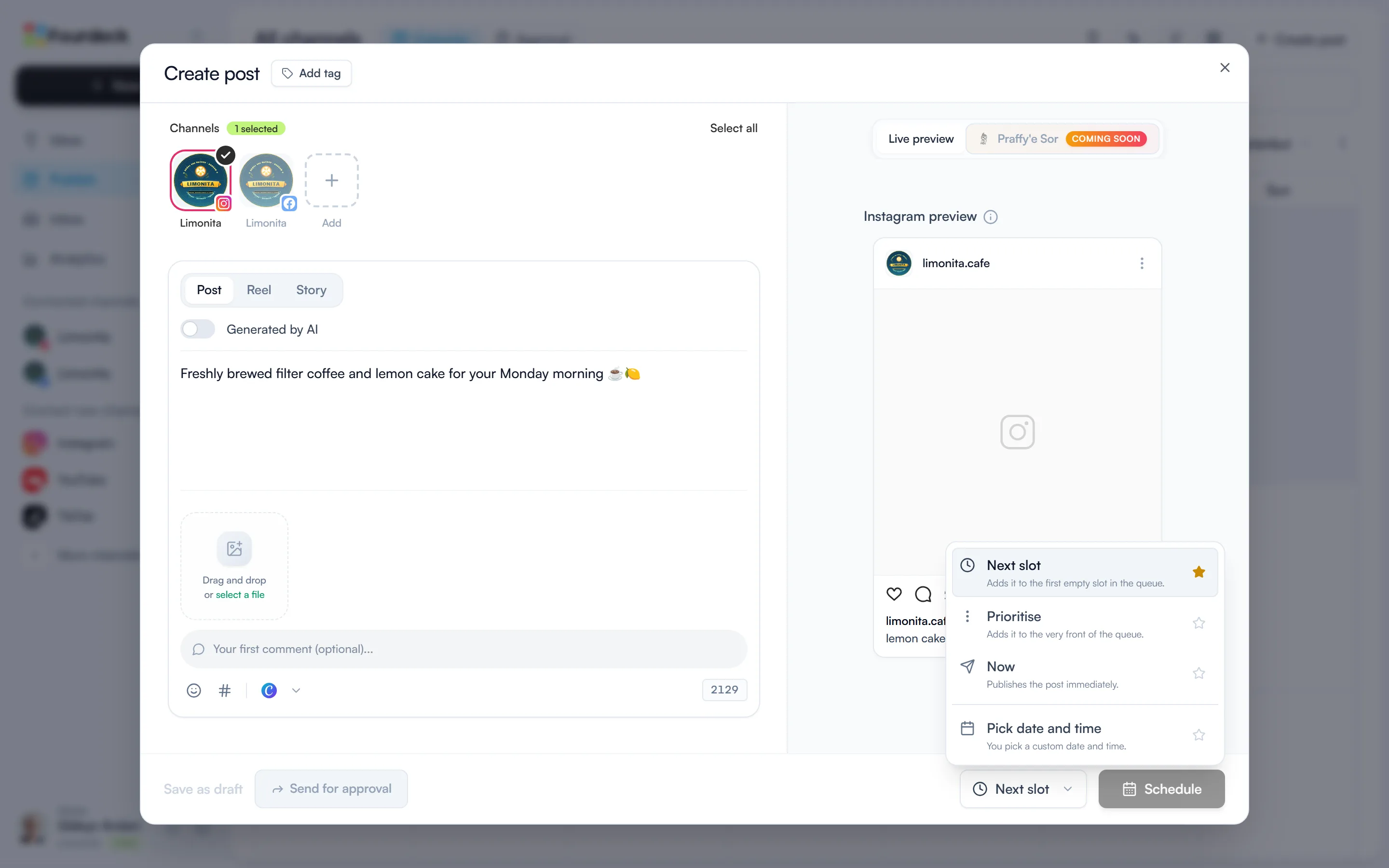
The star next to an option makes it your default publish action. If you add almost every post to the queue, star Next slot. Then press “Schedule” to save the post.
How queued posts behave
- Prioritise only moves posts that got their time from the queue. It never touches posts you gave a date to.
- If you change the time of a queued post by hand, it stops being part of the queue and publishes at the time you set.
- If there's no free queue time in the next 90 days, Fourdeck tells you. Add queue times or pick a date.
- If a channel's queue is paused, its queued posts won't publish until you resume it. The Queue times page and the post window both show this, and the “Resume queue” link takes you to the channel's settings.