What is a UTM?
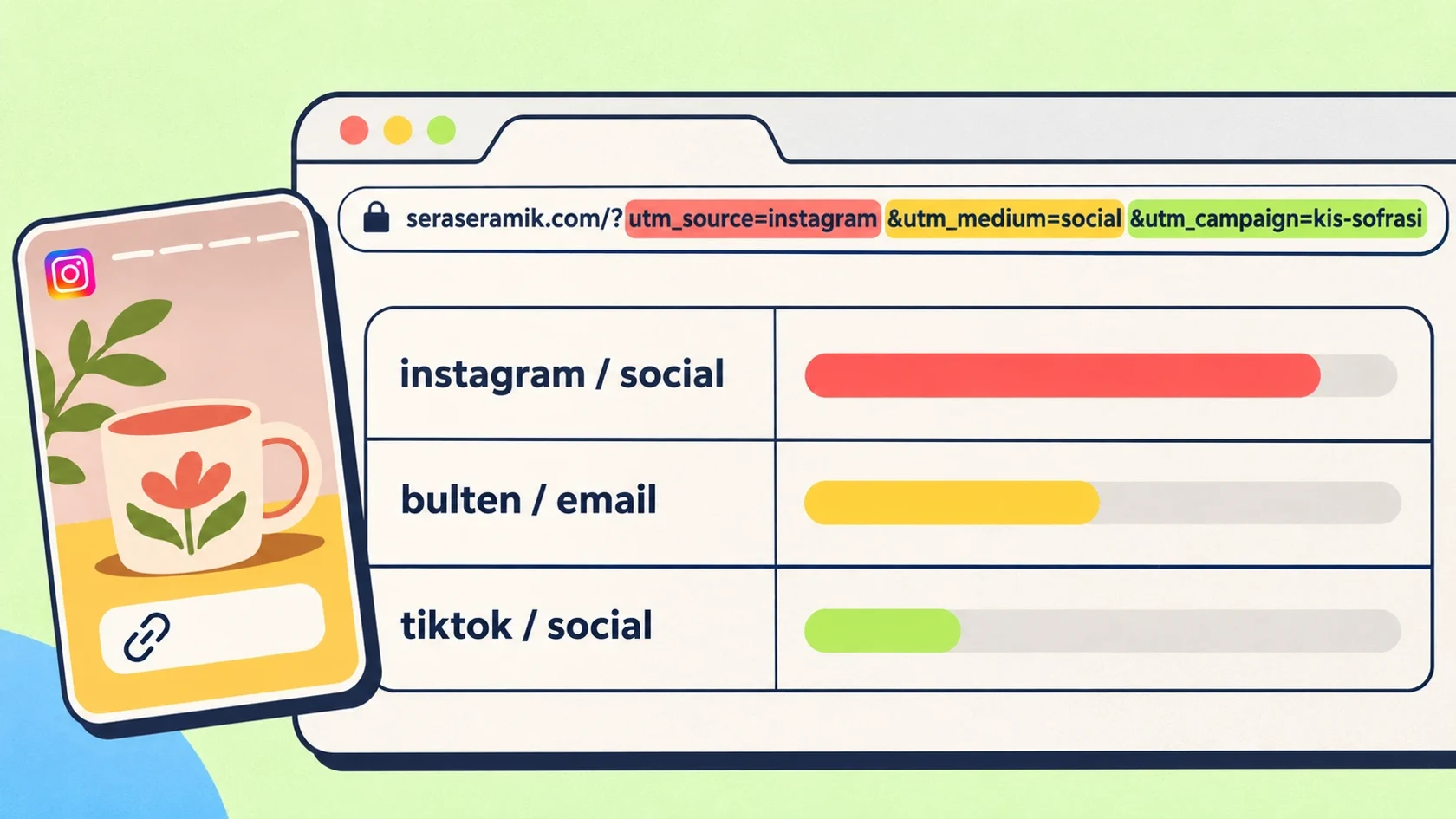
UTM (Urchin Tracking Module) tags are short labels added to the end of a link. When someone clicks it, an analytics tool such as Google Analytics reads the tags and records the visit by them: which platform, which campaign, which link it came from.
With no tags on the link, the analytics tool guesses the source itself. If the browser, app or messenger doesn't pass the source along, the visit counts as “Direct” and what worked becomes invisible.
Anatomy of a UTM link
Every utm_ field after the question mark carries one piece of information, joined by & signs:
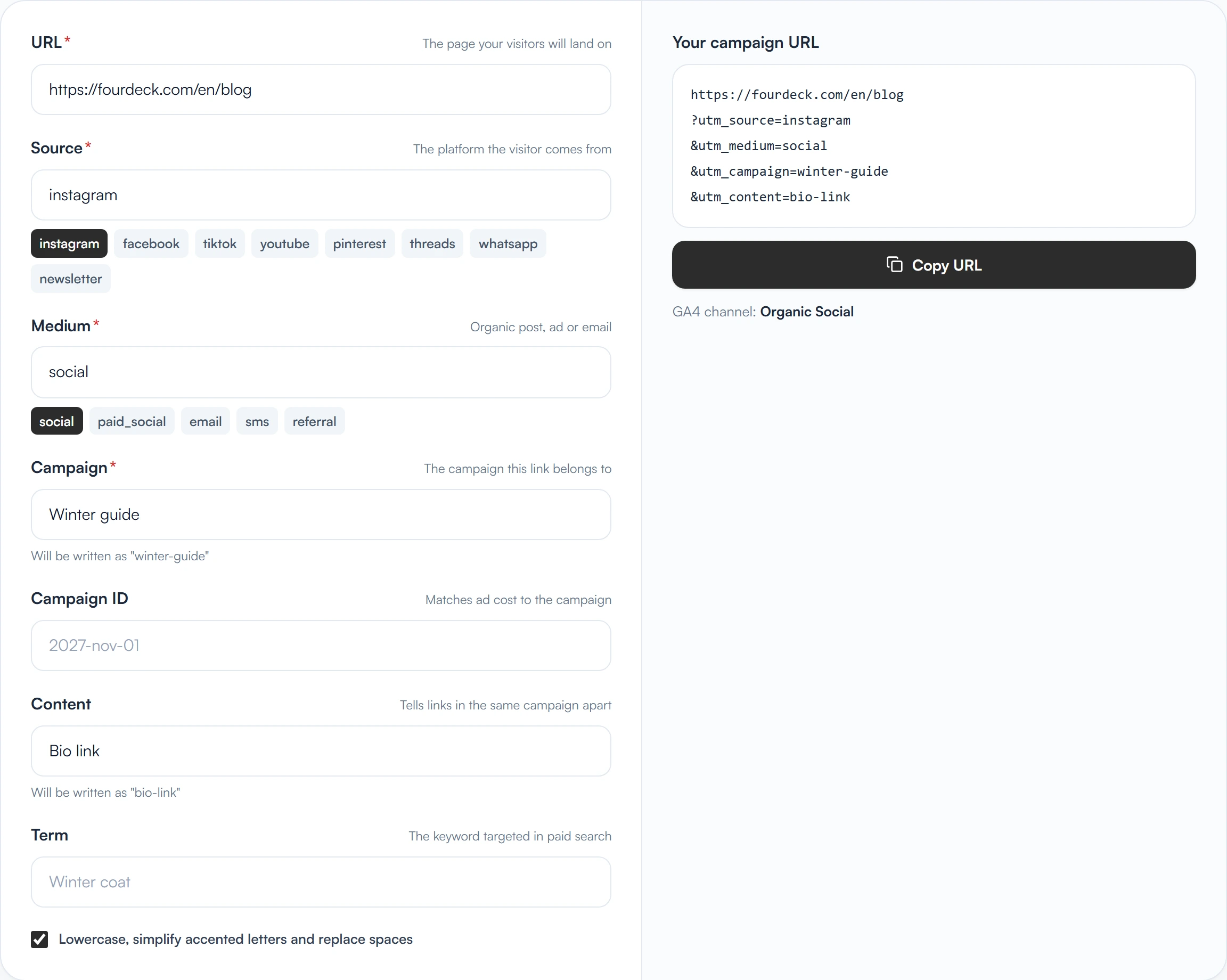
fourdeck.com/en/blog?utm_source=instagram&utm_medium=social&utm_campaign=winter-guide&utm_content=bio-link
| Field | What it says | Social media example | Required? |
|---|---|---|---|
| utm_source | Where the visitor came from | instagram, tiktok, youtube | Yes |
| utm_medium | The type of traffic | social, paid_social, email | Yes |
| utm_campaign | The name of the campaign or effort | winter-guide, summer-sale | Yes |
| utm_content | Which link within the same campaign | bio-link, story-1 | No, but recommended |
| utm_term | Keyword (mostly in paid search) | — | No |
| utm_id | Campaign ID (for those who import cost data) | — | No |
A naming rule in five lines
The real problem with UTM isn't the tags themselves, it's consistency. Upper and lower case are different values: according to Google's documentation, “Meta” and “meta” become separate rows in a report. If one person writes “instagram”, another “Instagram” and a third “ig”, one source splits into three. To prevent that, fix these five rules as a team:
- Everything lowercase, no spaces. Separate words with hyphens: winter-guide.
- No accented letters. Browsers turn them into percent codes, and different spellings of the same word count as separate values.
- utm_source is the platform's name: instagram, tiktok, youtube, pinterest, facebook. No abbreviations or nicknames.
- Use a fixed list for utm_medium: social for organic posts, paid_social for paid ads, email for email.
- utm_campaign says when and what for. Example: 2026-11-winter-guide. The start date makes the campaign easy to find later.
Put the list in a table everyone can reach. Sharing the rule matters as much as knowing it: a new teammate should be able to build their first link by looking at that table.
Why utm_medium needs care
When GA4 sorts traffic into channels (Organic Social, Paid Social, Email, Referral and so on), it looks at the source and medium values. If you write a recognised source or medium, the visit lands in the right channel; if you write one it doesn't recognise, it stays “Unassigned”. Writing “mailchimp” or “newsletter” as the medium doesn't put email traffic in the Email channel, “email” does.
| What you write | Channel it lands in on GA4 |
|---|---|
| source=instagram, medium=social | Organic Social |
| source=instagram, medium=paid_social | Paid Social |
| source=newsletter, medium=email | |
| source=instagram, medium=bio | Organic Social (because the source is recognised) |
| source=agencyx, medium=expert | Unassigned (not recognised) |
The table follows the main rules of GA4's default channel group; if you defined a custom channel group in your property, results may differ. The UTM Builder shows which channel a link will land in as you type the source and medium.
Example: one campaign, three links
A made-up example: a ceramics studio publishes a “Winter table” guide and links to the same page from three places.
| Where | utm_source | utm_medium | utm_campaign | utm_content |
|---|---|---|---|---|
| Instagram bio | social | 2026-11-winter-table | bio | |
| Instagram story | social | 2026-11-winter-table | story-1 | |
| Weekly newsletter | newsletter | 2026-11-winter-table | main-button |
A week later the report reads like this: filter by the campaign name and you see three rows, each with its own visit count by source and medium. If the story link brought more visits than the newsletter, you put more effort into stories in the next campaign.
Where to find the results in GA4
- Open Reports > Acquisition > Traffic acquisition.
- Change the table's main dimension from “Session default channel group” to “Session source / medium” or “Session campaign”.
- Filter by the campaign name and add utm_content as a second dimension. How many sessions each link brought appears row by row.
- Don't look at visits alone: read engagement time, engaged sessions and (if set up) conversions next to them.
Six common mistakes
- Mixing upper and lower case. “Instagram” and “instagram” split one source in two. The rule: always lowercase.
- Adding UTM to links inside your own site. Tagging a link from a banner or menu to a page on your own site can overwrite the visitor's real source and split a single visit into two sessions. UTM belongs only on links that bring people to your site from outside.
- Writing an unrecognised utm_medium. As in the table above, the visit stays “Unassigned”.
- Putting personal data in the link. Email address, name, phone: links are shared, copied and written into analytics records. Never put anything that identifies a person in a UTM field.
- Renaming the campaign halfway. The same effort's data splits across two names and can't be compared.
- Writing tags and telling no one. Someone else makes up a new name for the same effort; this is why the shared list is needed.
What UTM doesn't tell you
UTM tells you where a visit came from, not what that visitor did. A link that brings many visits may have sold nothing. To track a result such as a sale, a form or a booking, you need to define that action as a conversion in GA4; UTM only decides which campaign the conversion gets credited to.
Be careful with small numbers too: if one link brought two visits and another three, don't draw a conclusion from the gap. A difference only means something once it has repeated over several weeks with the same method. For choosing metrics, see our social media analytics guide.
Frequently asked questions
What are the UTM parameters?
utm_source, utm_medium, utm_campaign, utm_content, utm_term and utm_id (the campaign ID). Writing the source, medium and campaign name is enough; the others are optional.
Does creating a UTM link cost anything?
No. You can create one for free with Google's campaign URL builder. Fourdeck's free UTM Builder does the same job; it also lowercases the values and shows which GA4 channel a link will land in.
Do UTM tags affect my site's speed or ranking?
The tags are for analytics only; they don't change the page's content. To keep search engines from treating the tagged and untagged addresses as two pages, the page should declare a canonical address. Check this with whoever manages your site.
Should I add UTM to my bio link?
Yes. The bio link is the steadiest path from social media to your site. With utm_content=bio you can see it apart from story and post links.
Can I use UTM between pages on my own site?
Don't. A tag on an internal link can change the visit's real source. To measure clicks inside your site, use GA4 events.
Why do visits from WhatsApp show up as “Direct”?
Messaging apps often don't pass on where the person who clicked came from. If you add utm_source=whatsapp to the link, you see this traffic separately.
Sources
- URL builders: Collect campaign data with custom URLs, Google Analytics Help (accessed November 20, 2026)